Collaborators and seats
Who you can work with, and what it costs, depends on where the site lives: in your personal workspace, or in an organization. This page covers both. For what each role can do once someone is on a site, see Roles and permissions.
A site in your personal workspace
You share the site with people one by one, from the site's own Settings → Collaboration tab.
- Readers and Contributors are free — as many as you like. Contributor is offered only on a site that has a Records folder; elsewhere the choice is Reader or Editor.
- An Editor needs a seat. Seats belong to this site: they are a line on the site's own subscription, bought on that same tab (Purchase a seat), and charged from the first one.
- Giving an Editor Full control costs nothing extra — they already hold a seat. Raising a Reader to Editor (or to Full control) takes a seat.
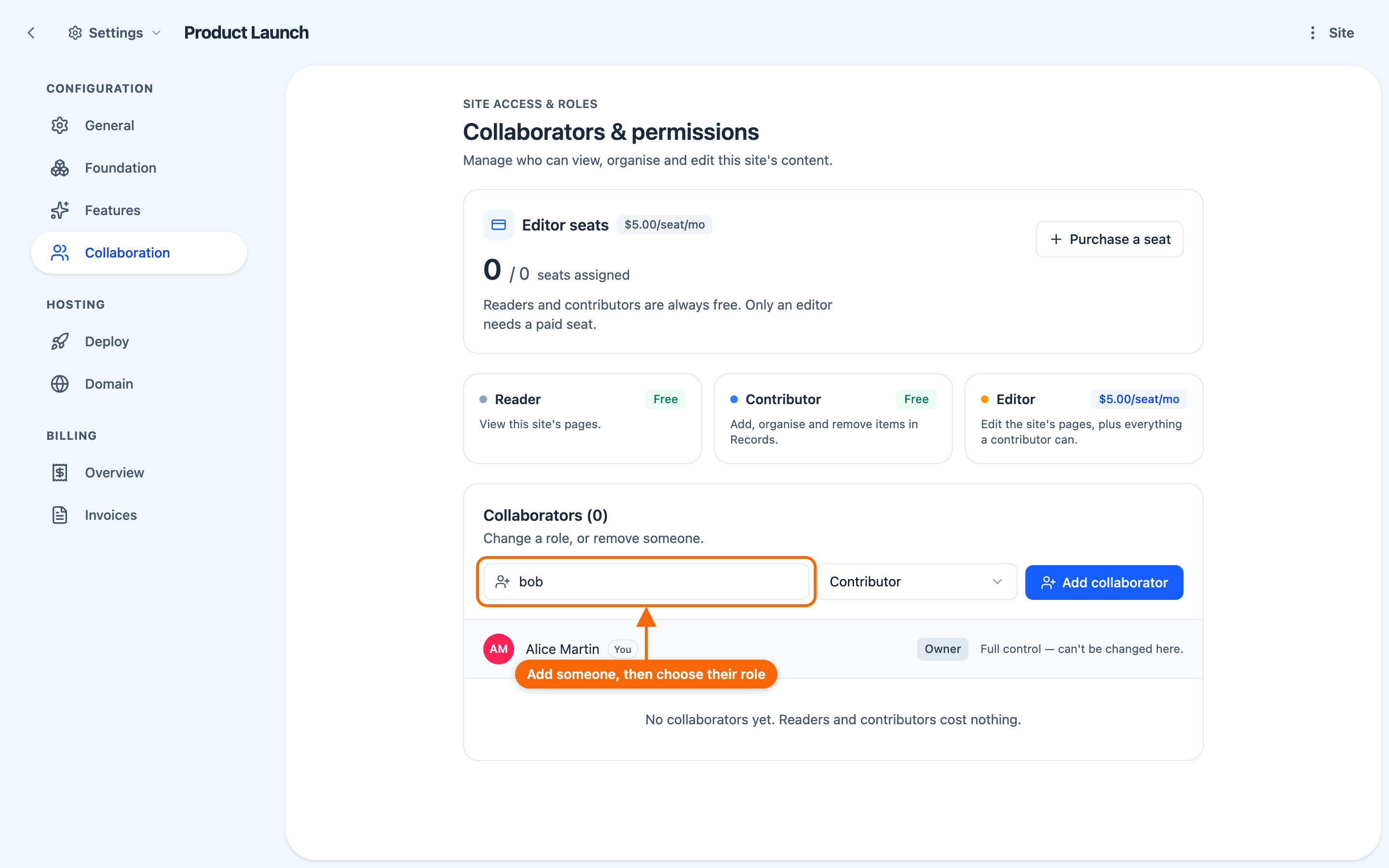
⚠️ Adding an Editor when every seat is taken is refused, and the person is not added. The app offers Purchase a seat or Not now, and says why — "All # seats are in use. {name} needs one more.", or, on a site with no seats yet, that they "can be a contributor for free instead". Buying the seat does not finish the add: add them as Editor again once it is bought. You can also buy seats ahead of time.
Only the site's owner, or someone with Full control, can add people, change their role or remove them — even adding a Reader.
What the person you share with sees
Sharing gives them a permission; the site stays yours — you own it and you pay for it. It appears in their personal workspace, among their own sites, and they are told in the app. Access is to that one site: it gives them nothing else of yours.
If they are working inside an organization at the time, your site is not listed there; opening it asks them to switch to their personal workspace.
A site in an organization
In an organization, membership is the seat. An administrator of the organization buys seats (Buy seats, in Settings → Members) and invites people; each invitee accepts before they become a member. Sites the organization owns draw no per-site seats. A sub-organization's seats belong to its top organization, so it has no Buy seats of its own; an organization that isn't billed shows that seats aren't counted.
- An invitation holds a seat while it is pending, so there must be a free seat to invite someone — unless they are already part of the organization's group, in which case no new seat is used. Withdrawing the invitation frees the seat.
- An invitation arrives in the notification bell (top right), with Accept and Decline. ⚠️ Accept it from there — the bell is the only place it can be accepted.
- Once they join, the organization appears under Workspaces in their avatar menu.
⭐ An organization's sites are shared only with its members. To work with someone from outside, invite them to the organization first; then share. Sharing never moves a site out of an organization.
Someone who only adds content
A common setup is letting people add content without giving them the run of your site:
- share the site with them as a Contributor — free;
- make sure a section displays the content type they will be adding.
They add and organise the site's Records; those items appear on the site; the site's pages stay out of their hands. See Roles and permissions and Displaying content from the library.