Working together
Several people can work on the same site at the same time. Most of the time this just works; the one thing to coordinate is two people editing the exact same section at once. This page explains what's safe and what to watch for.
What's safe
You can work in parallel without conflicts when you're in different places:
- different pages — no conflict;
- different sections of the same page — no conflict.
So a team can divide up a site naturally — one person on the homepage, another on the about page — and never step on each other.
Three things are shared by the whole site, so they are not kept apart by working on different pages: the header and footer (they appear on every page), the site's settings (name, languages, theme), and renaming a query (it rewrites every page that uses it).
Changes reach you as they are saved. When someone else's edit lands in a section you have open and you have no unsaved text there, it updates in place, with "This section was updated with the latest changes." (or "This page was updated with the latest changes."). If the section or page you were editing is deleted, you're told that too.
You can see who else is there. Each other person appears as an avatar in the editor's header, and its tooltip says where they are — on the section you're editing, on this page, or elsewhere in this site. Page Structure marks the section each person is on, and above the canvas a line reads "Also on this section: …". If it's you in another tab or window, the header reads "Also open in another tab".
What to watch for
The one risky case is two people editing the same thing at the same time.
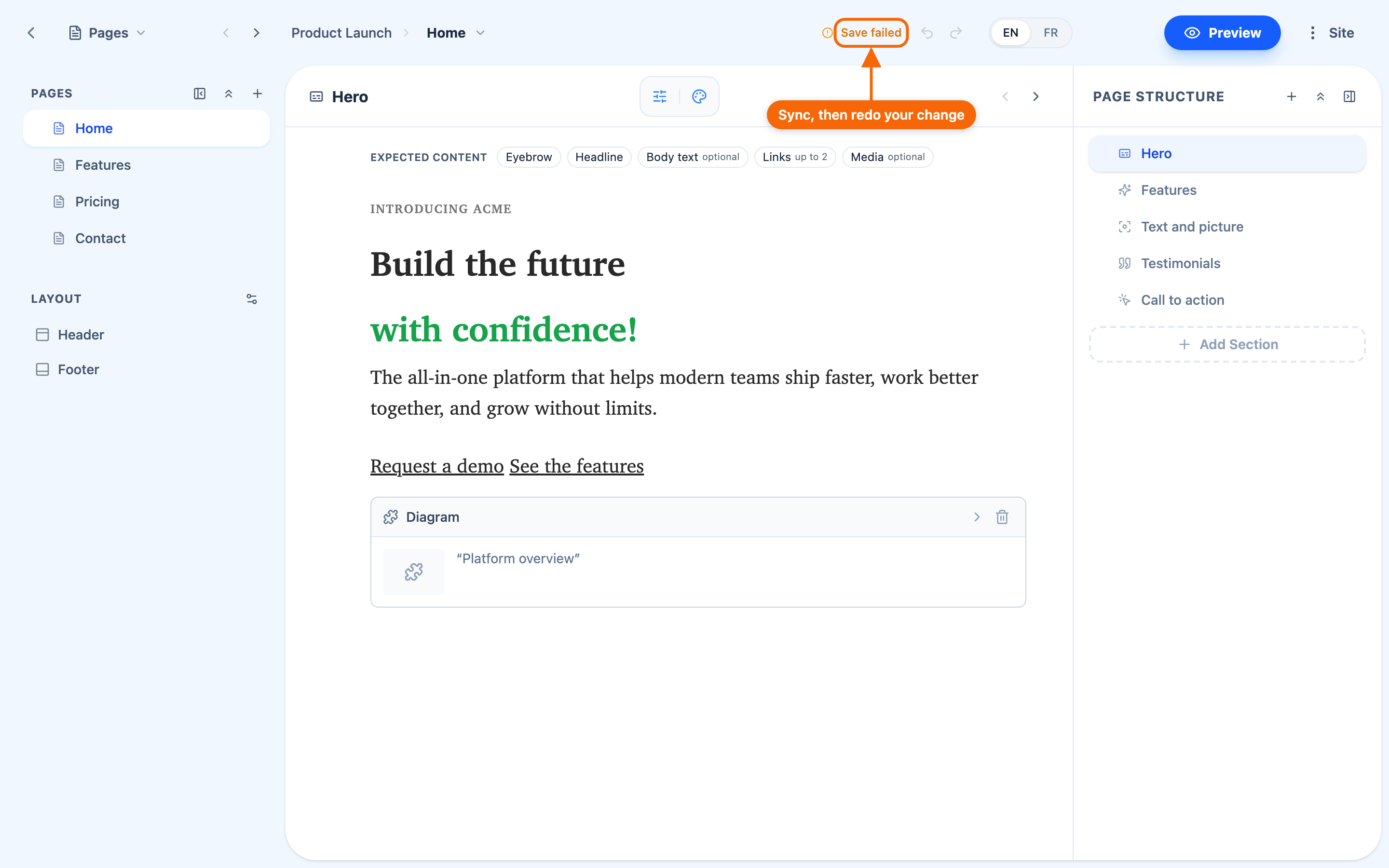
⚠️ There is no lock. You can see who is on the same section, but nothing stops two people typing in it. What protects you is that a save that would overwrite someone's newer work fails instead:
- in the site editor, above the section, a warning says "This section changed while you were editing it…", with Load the latest. Your unsaved text is dropped only if you press it;
- the status reads Save failed. Hover it for why ("Someone else changed this since you opened it."); clicking it loads the latest of everything else, and your unsaved text stays on screen;
- in the article editor, you get Changed elsewhere. and a Refresh;
- in a dialog — such as a page's data source — wording like "Someone else changed this page. Close and reopen to see the latest version."
A save that fails for any other reason — a dropped connection, say — reads Not saved; click it to try again now. It stays until a save succeeds, and retries on its own.
⇒ Nothing is silently overwritten, and your unsaved text stays until you choose to load the latest. On a busy site, agree who has which page.
Best practice
- Divide by page or section. Agree on who's working where.
- Coordinate on shared pages. If two of you must work on the same page, take different sections.
- Make content contributors Contributors. If someone's job is to add blog posts or events rather than edit pages, give them the Contributor role — they add and organise the site's Records, which cannot collide with anyone editing a page. See Roles and permissions.