Inbox and Analytics
Two of a website's views are about what happens after you publish: Inbox collects submissions from forms on your site, and Analytics shows who's visiting. Both are views in the editor's view switcher, and both have a button on the site's card in the Hub (Inbox and Stats). This page covers both.
Inbox: form submissions
If your site has a form — a contact form, a sign-up, an inquiry — submissions arrive in the website's Inbox view. You read and manage them there rather than wiring up email or a third-party form service.
Whether a form is available, and what fields it has, depends on your design system providing a form section. See Working with sections.
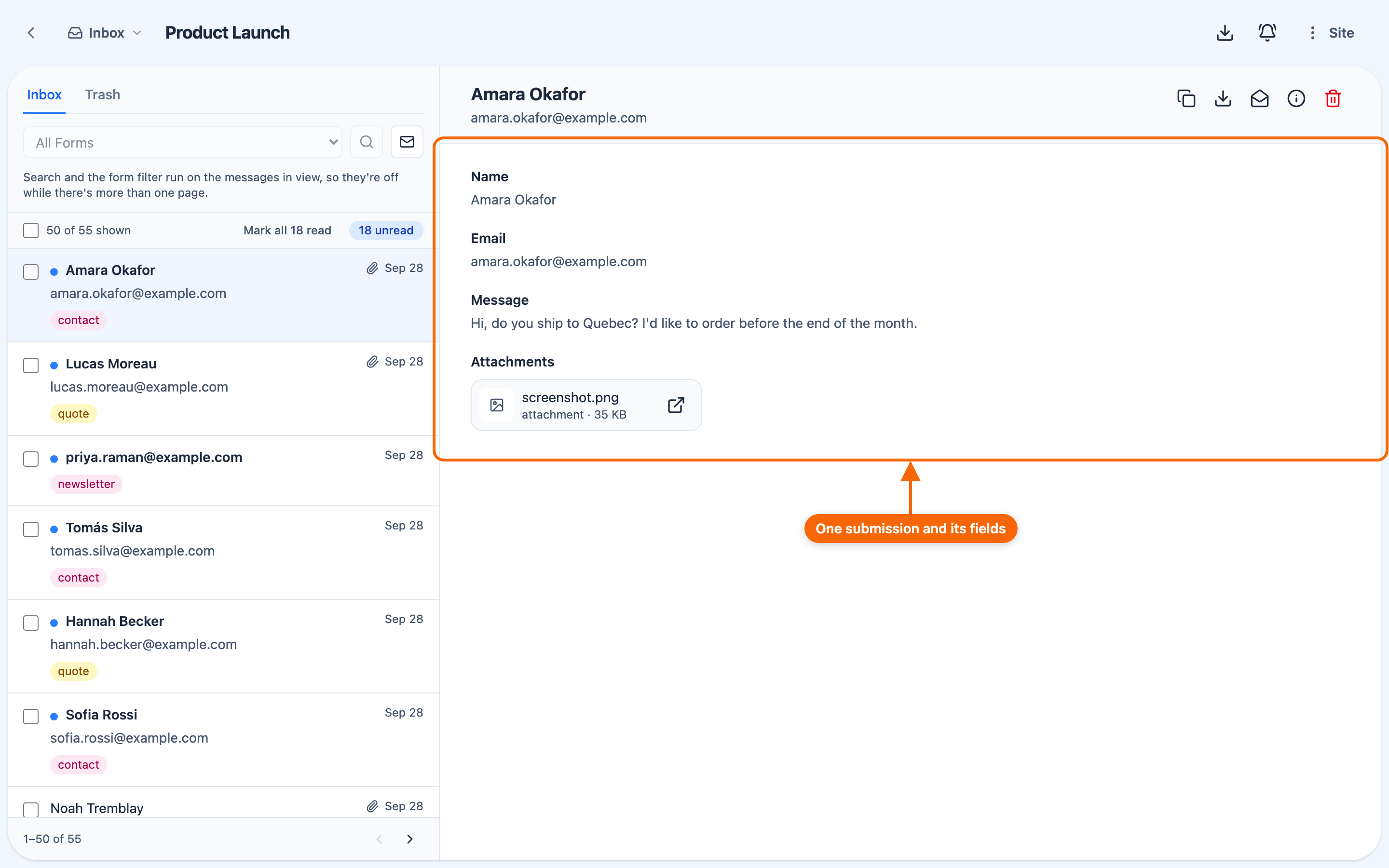
Working through submissions:
- Inbox and Trash — search, filter by form, show unread only, and Mark all read (it shows the count, e.g. Mark all 3 read); Trash also has Empty trash;
- open one to read it, Copy as text or Download JSON, mark it read or unread, move it to Trash (or back), or Delete forever; attachments can be previewed, opened or downloaded;
- select several to copy, download, mark read or unread, trash, or move back to the inbox together (deleting forever is one at a time, from a trashed message, or with Empty trash);
- export all submissions, and set how often the site emails you a digest of unread ones.
Form Submissions is a paid feature of the site, turned on in its Settings → Features. Like Stats, the card's Inbox button stays disabled — with the reason on hover — until the site is published with Form Submissions on.
Who can do what in the Inbox follows how the site is shared with you:
| who | |
|---|---|
| open and read submissions | anyone the site is shared with, Readers included |
| mark read, move to trash, restore | Editors and up |
| export, and delete permanently | Full control or the owner only |
A submission is a visitor's data, not the site's content — which is why clearing the Inbox is kept to Full control. A site cannot be taken down while it still holds submissions: export or delete them first. See Roles and permissions.
Analytics: visitor statistics
The Analytics view shows traffic and visitor analytics for your published site — built in, privacy-respecting, and with no third-party analytics script to add. Use it to see how much traffic your site gets and which pages draw attention.
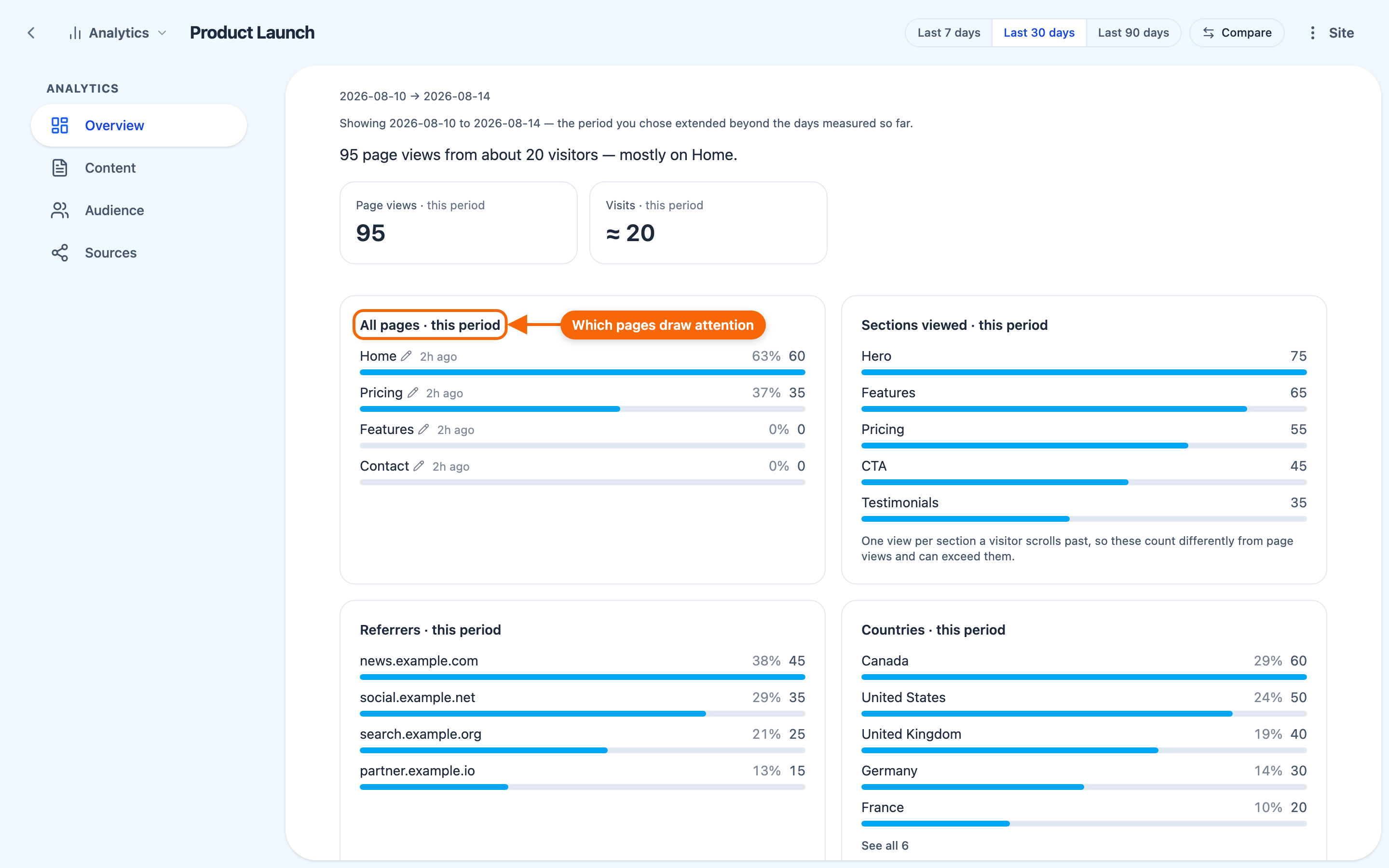
It has four sections — Overview, Content, Audience and Sources — over the last 7, 30 or 90 days, optionally compared with the period before. Among what it reports: page views, visits, forms submitted, top pages, which sections were viewed and clicked, time on page, visit length, and links followed off the site. Figures are kept for 90 days.
Analytics is a paid feature of the site, off until you turn it on in the site's Settings → Features — see Site pricing. A site card's Stats button stays disabled until the site is published with analytics on, and says which of the two is missing.