Multilingual sites
Uniweb has multilingual support built in — no plugins, no separate sites per language. You can add languages whenever you like and translate at your own pace. This page covers the setup; Translating content covers the day-to-day work.
Add languages whenever you need them
You don't have to plan for multiple languages up front. Start in one language and add others later, when you actually need them — nothing has to be restructured.
Your primary language
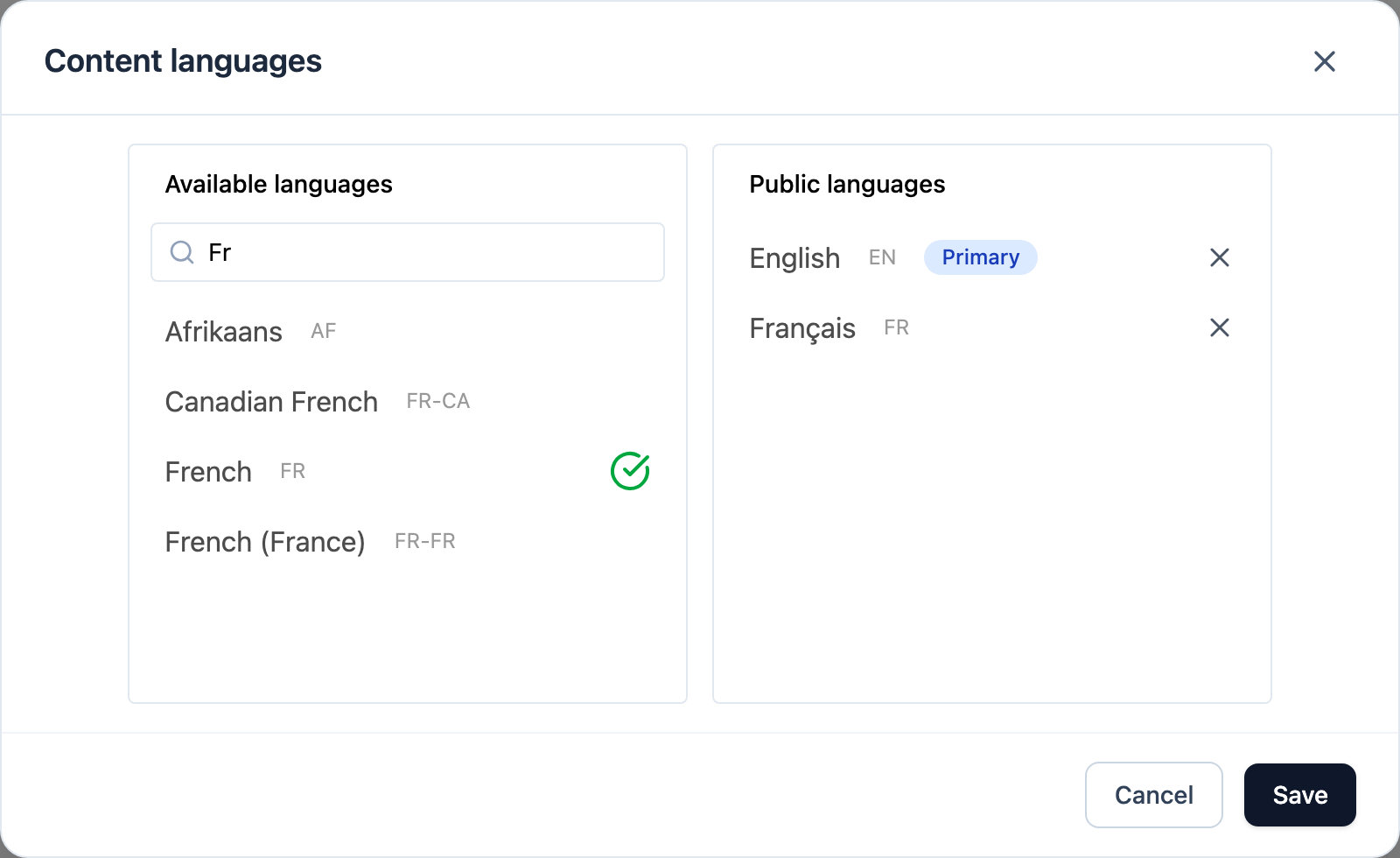
Your site has a primary language — the one you write in. Your languages are listed under Content languages — open it with Site menu → Languages… (in the Pages view), or from the language pill when the site has a single language. The dialog has two columns, Available languages and Public languages; the first language carries a Primary badge, and you drag to reorder. Elsewhere the app calls the primary one the default language. All sections are written in it, and translations are created from it.
Languages in the Editor vs. languages that are live
These are two different lists, and the difference is useful:
- the editor can have more languages than the published site — you can be working on a translation that isn't ready;
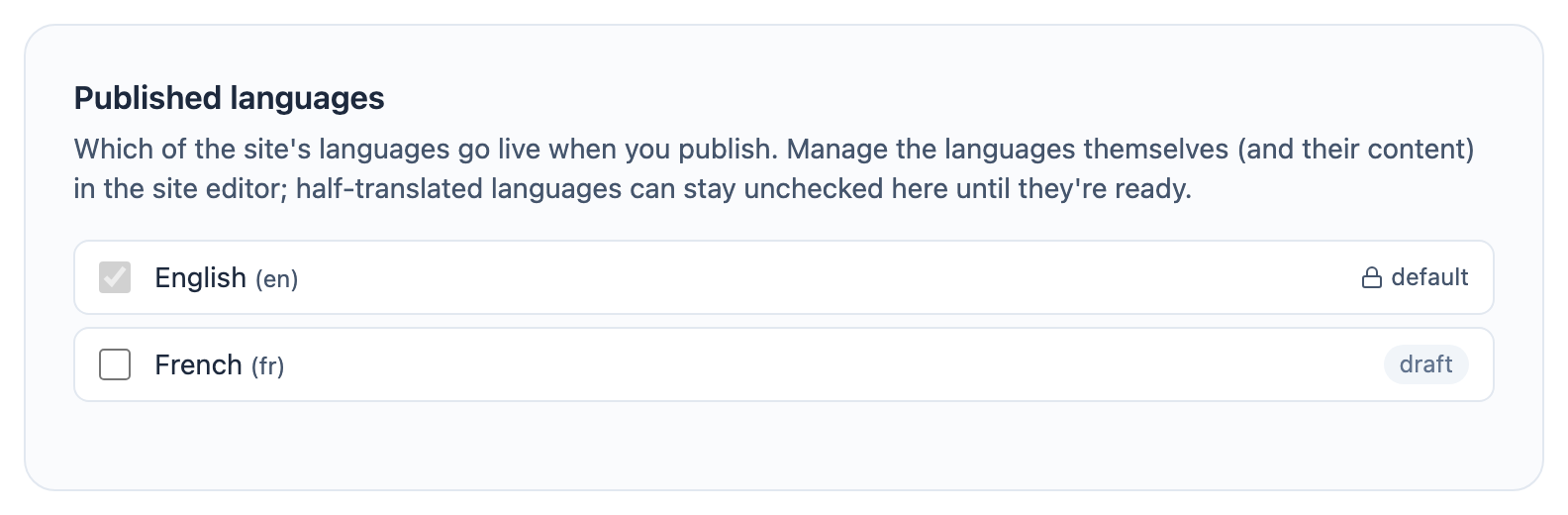
- Published languages, a card in the site's Settings → General, decides what visitors actually see: one checkbox per language, and any you leave unchecked is marked draft. The card warns when the number of languages you select differs from what the site's subscription covers, and when publishing would take a live language down.
⛔ You cannot unpublish your primary language — its checkbox is locked (the row is labelled default there), because the site has to exist in it.
A language that exists in the editor but is not checked for publishing stays draft-only. This lets you:
- perfect a translation before it goes live;
- experiment with a new language privately;
- prepare a language in advance and switch it on when you launch it.
How visitors get the right language
Each language gets its own addresses — your default language keeps the plain ones, and the others sit under a language prefix — and every page tells search engines which language versions exist, so they can be indexed separately rather than competing with each other. See Hosting and performance.
How visitors switch language depends on your design system: the switcher is a piece of the design, so where it appears — or whether it does — comes from the design system your site uses.
Where to go next
- Translating content — how translation works, section by section.
- Publishing your site — what publishing does and does not cover.